


VocalMe Music: AI Cover Songs
3.5700.00 Reviews
App Specs
- Version
- 2.19.5
- Updated On
- License
- Free
- Downloads
- 100,000+
- Developer
- TALENT ME TECH.
- Categories
- Music & Audio
- Platform
- Android
Screenshots
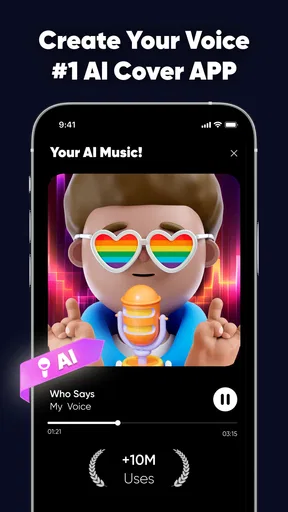
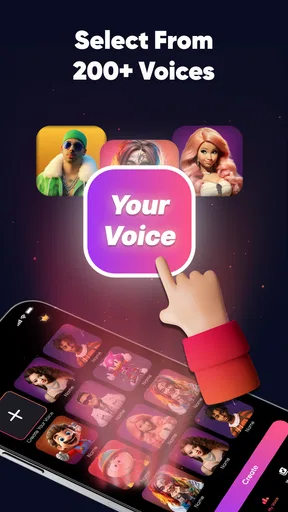

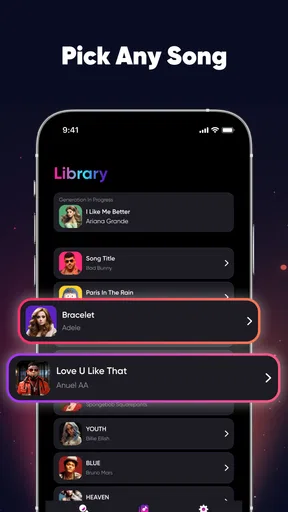
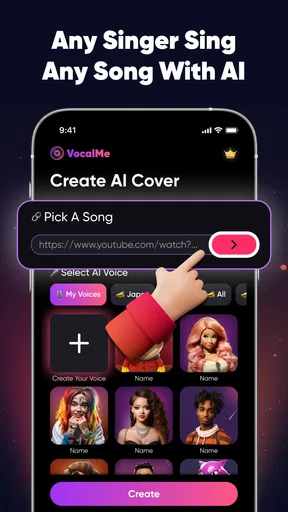
 Analysis by AppCompare
When I want to hear how a familiar song might feel with a different vocal, I look for tools that let me experiment without turning the process into a full recording project. VocalMe Music: AI Cover Songs is built around that idea: it uses AI to separate a song’s vocals and help create a new cover. The appeal is easy to understand, but the result depends on the track and on what you expect from an automated music app. I see it first as a playful way to explore vocal transformations, not a replacement for careful studio work.
What the AI cover idea changes
For me, the most interesting part is the change in perspective it offers. A familiar arrangement can sound surprisingly different when its vocal character changes, and that makes VocalMe useful for quick creative experiments. You do not need to begin with an empty project or know how to build a backing track; the app’s central task is to work with an existing song and give you a route toward another vocal version.
That focus also sets expectations. This is not the same as recording a polished cover from scratch in a multitrack workstation. Vocal separation is the key step, so the quality of the source track matters. Dense arrangements, layered harmonies, and effects can make it harder for an automated system to isolate a clean vocal or backing. I would treat each result as a draft to listen to and judge, rather than assuming every song will come out ready to publish.
The idea is especially appealing if you are curious about how a song might sound with a different vocal style, or if you enjoy making informal versions to share with friends. If your priority is precise control over every instrument and vocal edit, a conventional recording or audio-editing app is likely a better fit. VocalMe’s value is in lowering the barrier to a quick experiment.
Trying a cover without building a studio project
First things first, downloading the app is a breeze. Available on Android and iOS, VocalMe Music: AI Cover Songs is free to install, which is always a nice touch. Once you've got it on your device, you're greeted with a clean, user-friendly interface that doesn’t overwhelm you with options. It's designed to get you straight into the action.
The setup process is straightforward. You can either sign up with your email or connect through social media, and you're ready to dive in. The app offers a library of popular songs that you can choose from, or you can upload your tracks – the world is your oyster here.
How I would approach a first attempt
With an AI cover tool, I find it helps to start with a song whose vocal and instrumental parts are easy to distinguish. A relatively uncluttered arrangement gives the separation process a fairer chance than a track filled with overlapping backing vocals and sustained effects. That is not a guarantee of a clean result, but it is a practical way to avoid blaming the app for a source that is difficult to untangle.
Worth Reading Before You Choose

Baby Panda World Brings Quick Play to Modern Phones, but Its Game Library Feels Busy

ESPN’s Live Game View Makes Following Close Games Easier

QuizzLand Review: A Good Fit for Short Trivia Breaks, Not Every Player

Basketball Stars: Multiplayer Is Fast, but Can It Recover When Matches Go Wrong?

WEBTOON Turns Phone Updates Into a Better Reading Routine

Link to Windows Runs on Shared Habits, Not Social Feeds
I would also listen to the original before choosing a section to work with. Notice whether the vocal sits clearly above the accompaniment, whether there are harmonies throughout, and whether the song relies on subtle background details. Those clues help set a sensible expectation: a clear lead vocal is a more promising starting point than a chorus where several voices and instruments occupy the same space.
A realistic use case is a quiet evening when I want to send a friend a playful version of a song we both know. I could choose a familiar track, try a vocal transformation, listen back with headphones, and share it only if the result feels fun rather than awkward. That is a better match for the app than expecting a quick phone session to produce a release-ready recording.
Features That Make It Shine
Now, let's talk features. The app uses advanced AI technology to separate vocals from any song, allowing you to create cover versions effortlessly. You can replace the existing vocals with your own, giving the song a fresh feel. It’s like karaoke but on steroids!
One feature I particularly love is the voice enhancement tool. It helps tweak your voice to match the music perfectly. Whether you’re hitting those high notes or need a little autotune magic, VocalMe has got your back. The app also provides a variety of effects to experiment with, making your covers stand out.
The sharing function is seamless. Once you’ve created your masterpiece, you can easily share it on social media or send it to friends. It’s perfect for building your online presence or just showing off your skills.
Making the result more useful
For a more thoughtful workflow, I would keep the first pass simple: choose one song, make one version, then listen to it from beginning to end before adjusting anything else. That makes it easier to tell whether the vocal separation is the issue or whether an effect has changed the sound in a way I do not like. When I make several changes at once, it becomes harder to identify what actually helped.
Headphones are useful for reviewing a cover because small vocal artifacts can disappear on a phone speaker. I would pay attention to the starts and ends of phrases, where separation glitches can be easiest to notice, and to sections with backing vocals. If those moments sound distracting, I would try a simpler source track rather than repeatedly pushing the same difficult song toward a result it may not support.
It is also worth deciding what “good enough” means before sharing. A playful result for a private message can be enjoyable even if it has imperfections; a public post needs a higher standard and a careful listen. The app’s sharing convenience makes it easy to send work out, but taking a moment to check the whole track helps avoid sharing a version that only sounded convincing in a short preview.
Where it fits among music apps
Compared with ordinary karaoke apps, VocalMe is more focused on changing the vocal character of a song than simply following along with lyrics. Compared with a digital audio workstation, it asks less of the user at the start but also offers less reason to expect detailed control over every musical layer. That makes it a useful middle ground for curiosity: more transformative than basic sing-along use, but less hands-on than building a cover from separate tracks yourself.
If you already record vocals in a multitrack editor, you may prefer the control of importing stems, adjusting timing, and shaping each layer yourself. If you mainly want to test a quick idea without learning a full editing workflow, the AI approach is more approachable. I would choose based on the job, not on which kind of app sounds more advanced: speed and experimentation here, detailed production elsewhere.
There is another practical trade-off in using existing songs as source material. A track that sounds simple to a listener may still contain overlapping voices or processing that complicates separation. Rather than treating every imperfect output as a failure, I would use it as a prompt to try a different song or a less crowded section. That small change can be more productive than expecting one tool to handle every arrangement equally well.
Why You'll Love It
What really sets this app apart for me is the creative freedom it offers. You’re not just limited to singing along; you can completely transform a track. It’s an excellent tool for musicians looking to explore different styles or even for those who just want to have a bit of fun.
The app is also continually updated with new songs and features, keeping things fresh and exciting. Plus, the community aspect is fantastic. You can see what others are creating, get inspired, and maybe even collaborate.
That combination makes the app most appealing to casual creators, singers who want a low-pressure starting point, and musicians looking for a quick way to test a vocal idea. It is less suitable for anyone who needs dependable, fine-grained control, or whose main goal is to produce a technically polished cover. I would also skip it if I wanted a straightforward music player; the point here is to make and share a transformed version, not just listen to a library.
If you are deciding whether to try it, the practical question is whether experimentation sounds enjoyable even when a result needs another attempt. The app is free to install, while some purchases are offered inside it, so I would first see whether the basic workflow suits me before spending money. The presence of paid options is worth keeping in mind if I plan to use it often, rather than assuming every tool or capability will be available at no cost.
Limits worth knowing before you share
Of course, no app is perfect. While VocalMe Music does a lot right, there are a few areas that could be improved. Occasionally, the AI might not separate vocals as cleanly as you’d like, especially with more complex tracks. However, the developers seem committed to improving this with regular updates.
Another thing to note is that while the app is free, some advanced features are locked behind a paywall. It's not a dealbreaker, but something to keep in mind if you're looking to use the app extensively.
Its audience response gives me a reason to keep expectations measured as well: the app has a 2.7 average from around 2,300 ratings, with about 634 written reviews. It has passed 100,000 installs, and TALENT ME TECH. is the developer. Those figures do not tell me what any one person will experience, but they do make me less inclined to assume the app will work smoothly for every track or every workflow. I would test it with a song I know well before relying on it for a project.
For basic compatibility, the app is rated for Everyone and supports Android 8.0 or later. Its current version is 2.10.2, and it was released on July 12, 2024. Those details matter if you are checking an older device before installing; the supported Android version is the point I would verify first. The same judgment applies to the app’s paid options: I would explore the free experience before deciding whether the available in-app purchases, which range from $4.99 to $39.99 per item, make sense for how I intend to use it.
One question I would ask before choosing it is whether it can make every song sound clean. I would not count on that: the complexity of the arrangement affects how well vocals can be separated, so a song with dense layers may be a frustrating first test. Another is whether it suits serious recording. It can help spark an idea, but anyone who needs detailed editing and predictable studio results will likely be happier with dedicated audio software.
I would also think about where a finished cover is going before sharing it widely. A quick send to a friend is different from presenting a cover as a finished public release, and the app’s easy sharing should not replace using good judgment about the material and the audience. For casual creative play, that distinction is simple; for a formal project, I would make sure the workflow and permissions are appropriate before treating an AI-generated cover as final.
Overall, VocalMe Music: AI Cover Songs is a fantastic tool for anyone looking to explore their musical creativity. Whether you’re a pro or just love singing in the shower, this app provides endless possibilities. So, why not give it a shot? You might just discover a new passion or even your next hit single!
Pros
- Easy to navigate user interface.
- High-quality AI-generated covers.
- Wide selection of songs available.
- Regular updates with new features.
- Supports multiple languages for lyrics.
Cons
- Limited free version features.
- Subscription required for full access.
- Occasional lag on older devices.
- Requires a stable internet connection.
- Limited customization for song covers.
FAQs for VocalMe Music: AI Cover Songs
What is VocalMe Music: AI Cover Songs?
VocalMe Music: AI Cover Songs is an innovative app that allows users to create unique cover versions of their favorite songs using artificial intelligence. By leveraging advanced AI technology, users can replace the original vocals with their own or other artists’ voices, offering a personalized musical experience.
How does the AI technology in VocalMe Music work?
The app uses cutting-edge AI algorithms to analyze and process audio tracks. It separates vocals from instrumentals and allows users to input new vocal tracks. The AI ensures seamless integration of vocals, maintaining the song's original quality while offering a new twist. This technology makes it accessible even for non-professional musicians.
Can I share my creations from VocalMe Music on social media?
Yes, VocalMe Music provides easy sharing options for users to showcase their creations on various social media platforms. Once you’ve finalized your cover song, you can directly upload or share links to platforms like Instagram, TikTok, or Facebook, allowing your friends and followers to enjoy your musical creativity.
Is VocalMe Music available for both Android and iOS devices?
Yes, VocalMe Music is available for download on both Android and iOS platforms. Users can access the app through the Google Play Store or the Apple App Store, ensuring a wide range of device compatibility. This cross-platform availability makes it convenient for music enthusiasts using different devices.
Are there any subscription fees or in-app purchases in VocalMe Music?
VocalMe Music offers a free version with basic features, but for those who want an enhanced experience, there are subscription options available. These may include additional features like unlimited song downloads, exclusive voice packs, and ad-free usage. Pricing and subscription details can be found within the app.


